
Agents
Skills and agent setup
Give every agent in a project the same know-how: add skills from the catalog, and bring the instructions and skills you already use on your computer.
Every agent of a project reads three things before it works: your repository's own instructions, what you set up for this project, and your personal defaults. The nearer one wins.
Add a skill#
A skill is a packaged way of doing one kind of task well - writing tests, reviewing a design, researching a market.
Open Agent factory, then Skills.
Under Recommended, press Add on a set that fits, or type in Search under Discover and press Install on a skill. When a skill does the same job as one the project already has, its row says so and the button asks again as Install anyway.
Every agent in the project uses it from the next message. Remove under Installed takes it away again.
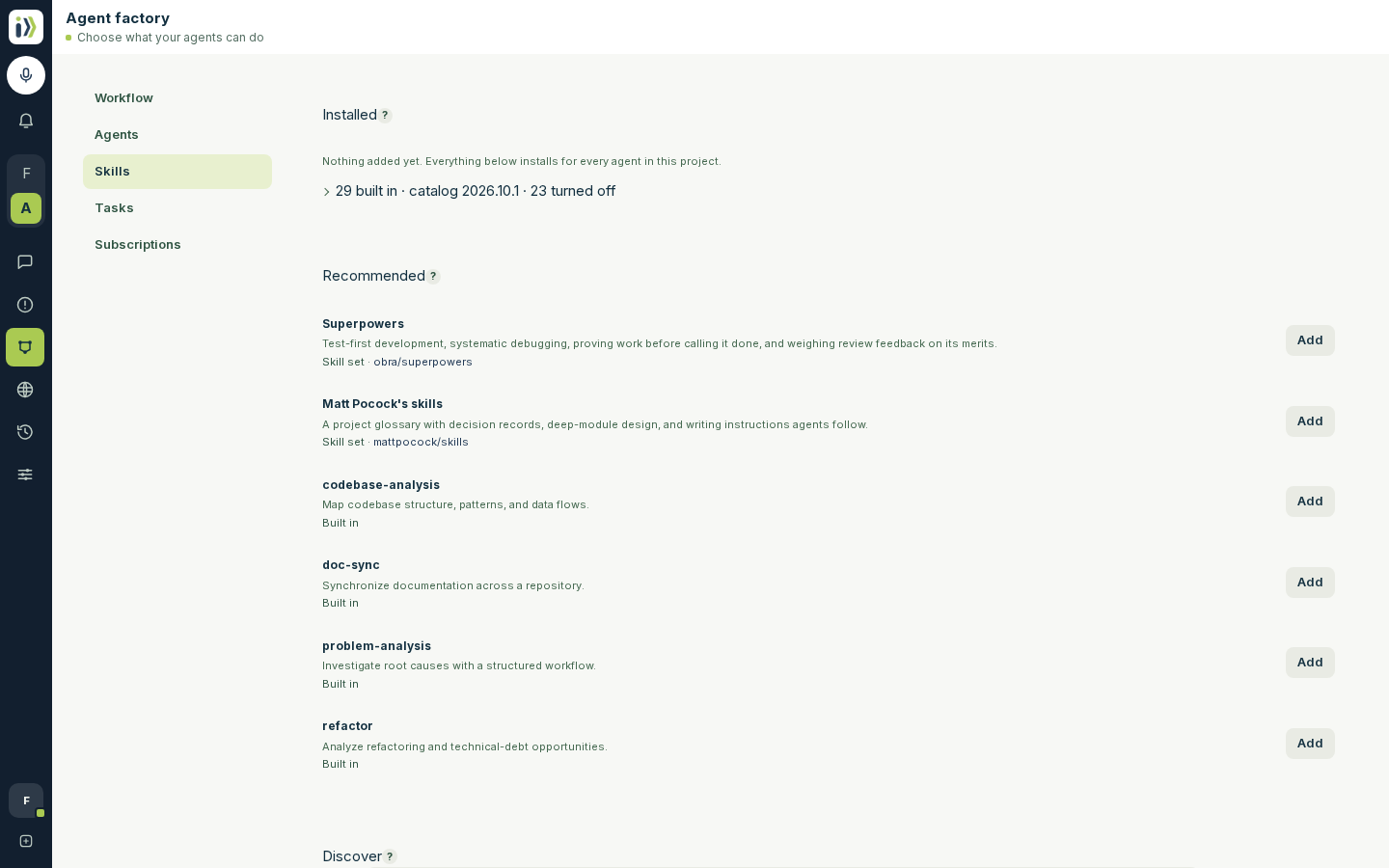
Iterada also brings skills of its own, folded under Installed. Open the fold and turn one off with Remove; Restore brings it back, and Restore every built-in skill brings back all you turned off.
Limit the skills one agent uses#
By default every agent uses every installed skill. To keep one agent to some of them:
Open Agent factory, then Agents, and press Model & skills on the agent's row.
Under Skill selection, choose Choose skills and tick the skills it may use. All installed puts it back to everything.
Press Save. A workflow step can still choose its own skills.
Bring your own setup#
If you already work with a coding agent on your computer, bring its instructions and skills along instead of writing them again.
Open Agent factory, then Agents, and find Agent files.
Under Your defaults, press Import to bring the setup you want in every project; under Only this project, for this one alone.
Press Choose a folder and pick the folder your agent keeps its setup in - the dialog names it for your computer. Check the list, then press Import selected files.
Anything that looks like a password or a key is removed before it leaves your browser. Your defaults can also be imported, shown and removed on your Account page, under Agent setup.
Your repository's own setup#
Instructions and skills committed to your repository are read on every run, with nothing to import. Iterada makes them readable by every agent, so a skill written for one agent works for the others too.
Updated · View as Markdown · What changed recently