
Ship
Set up delivery
Tests, previews, builds, rollback and deployment to your own server (VPS) or any cloud: Iterada uses the workflows you have and writes the missing ones.
Iterada runs the workflows your repository already has, and an agent writes the ones it is missing. Each one is a row in Settings, under Delivery. Whether verified work merges and deploys by itself is not chosen here but in the workflow in Agent factory: see Merge and review.
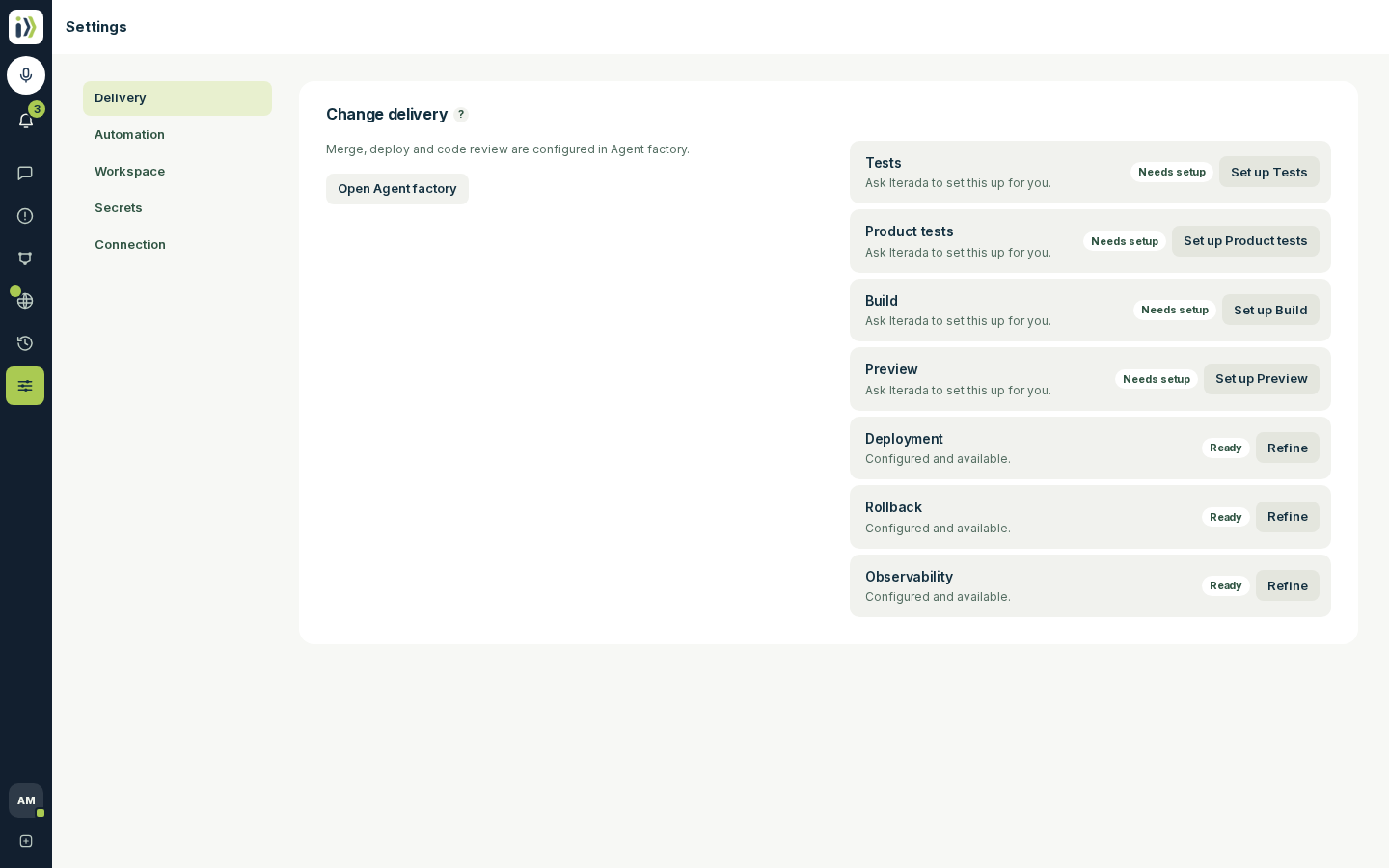
What each row does#
| Row | What it gives you |
|---|---|
| Tests | Your test suite. The Iterada checks step in your workflow runs it on a change before it merges. |
| Product tests | The product used through its real screens in a browser, as a customer would. Iterada checks can run them too, and the quiet-hours Product quality pass reads their result first. |
| Build | The product built the way production builds it. |
| Preview | A temporary copy of the product with one change in it, to click through before merging. |
| Deployment | Putting the default branch live, from Production or after every merge. |
| Rollback | Putting the previous version back in one step. With no workflow of its own, it deploys the previous version again, so it is ready once Deployment is. |
| Observability | Whether production is up, and how busy and healthy it is. |
Set one up#
Open Settings, then Delivery, and find a row that says Needs setup.
Press Set up on that row - on the Tests row it reads Set up Tests. An agent opens a session of its own and writes that workflow for your repository, the way your project already builds and ships.
When the row reads Ready, it is in use. Press Refine on a ready row to ask for a change to it.
On a project with none of these set up, the tab also offers Set up CI/CD, which asks an agent to set up delivery for the whole repository in one session.
A row can say something other than Needs setup, and its button names the next step, such as Repair Build or Update Deployment:
Needs connection: Iterada found tooling in your repository and has not connected it yet.
Needs a decision: more than one workflow is set up and none is the default.
Needs secrets: a value the workflow reads is missing. The button opens Secrets with the first missing name filled in, rather than starting a session.
Needs repair: the repository's delivery configuration is invalid.
Runtime unavailable: the workflow is set up, but nothing available can run it.
We deploy to a single server with Docker Compose. The product listens on port 8080, and the database must not be touched by a deploy.
Deploy to your own server#
The Deployment row can put your product live on a server you rent - a VPS - or on any cloud, so an agent's change ships to production on infrastructure you own. When the setup session asks, tell it where production runs and how it is reached. The server's address and key are values only you have, so they go in through Notifications, below, never into the conversation. Once it is set up, every change reaches that server from Production or after each merge, and Rollback puts the previous version back.
Values only you have#
Some workflows need a value that only you hold - a hosting token, an API key, a database address. The agent never asks you to paste it into the conversation. Instead:
The Notifications bell lights up with the values the deployment still needs.
Open it, paste each value and press Save, or drop a whole environment file under Have them all in one file? and press Read the file.
Press Skip for one you do not have yet. A change that needs a value is held out of your default branch until the value is set or skipped.
After you skip a value its button reads Wait for it; press that to hold changes for the value again. Everything you paste stays under Settings, then Secrets, where you can replace it later. Remove takes one away there; press Undo on the note that follows within a minute to put it back.
Updated · View as Markdown · What changed recently