
Get started
Iterada docs
How to use Iterada: describe a change, let a coding agent build it on its own branch, check it, merge it and put it live.
Iterada is an agentic development platform. You describe a change in plain words, a coding agent you already use - Claude Code, Codex, Cursor, Pi or opencode - builds it on a branch of its own, your checks decide whether it merges, and your deployment puts it live.
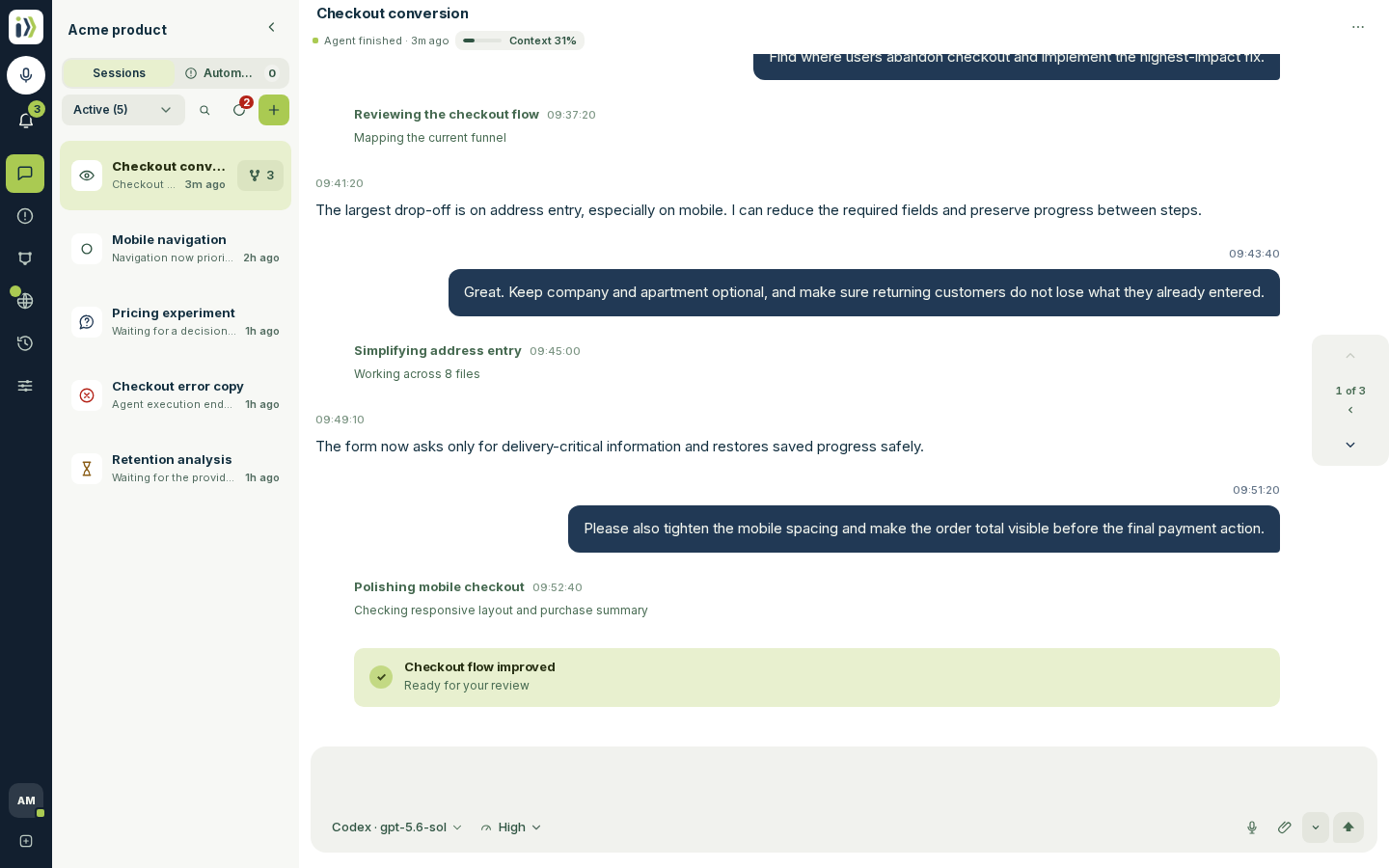
How a change travels#
You write what you want in a session, the way you would brief a colleague.
An agent reads your repository, makes the change in a private copy of it and runs your checks. It keeps going when you close the laptop.
The reply says what changed, what was verified and anything left for you to decide.
The change merges into your default branch the way your workflow says: by itself once checks pass when the workflow has a Merge step, or when you press Merge when it does not.
You deploy from Production, or add a Deploy step to the workflow so every merge deploys by itself.
What you need#
An account: sign in with the provider shown on the sign-in screen.
A subscription to at least one coding agent, such as a Claude or ChatGPT plan. Iterada runs the agent on your own plan and adds nothing to its price.
Your code in a Git repository, or nothing at all: a project can start from scratch.
Find your way#
Updated · View as Markdown · What changed recently